vpnify - Unlimited VPN Proxy
- 4.4
- Rating
- 50.00M
- Installs
- Free
- Price

 Analysis by App-foxy
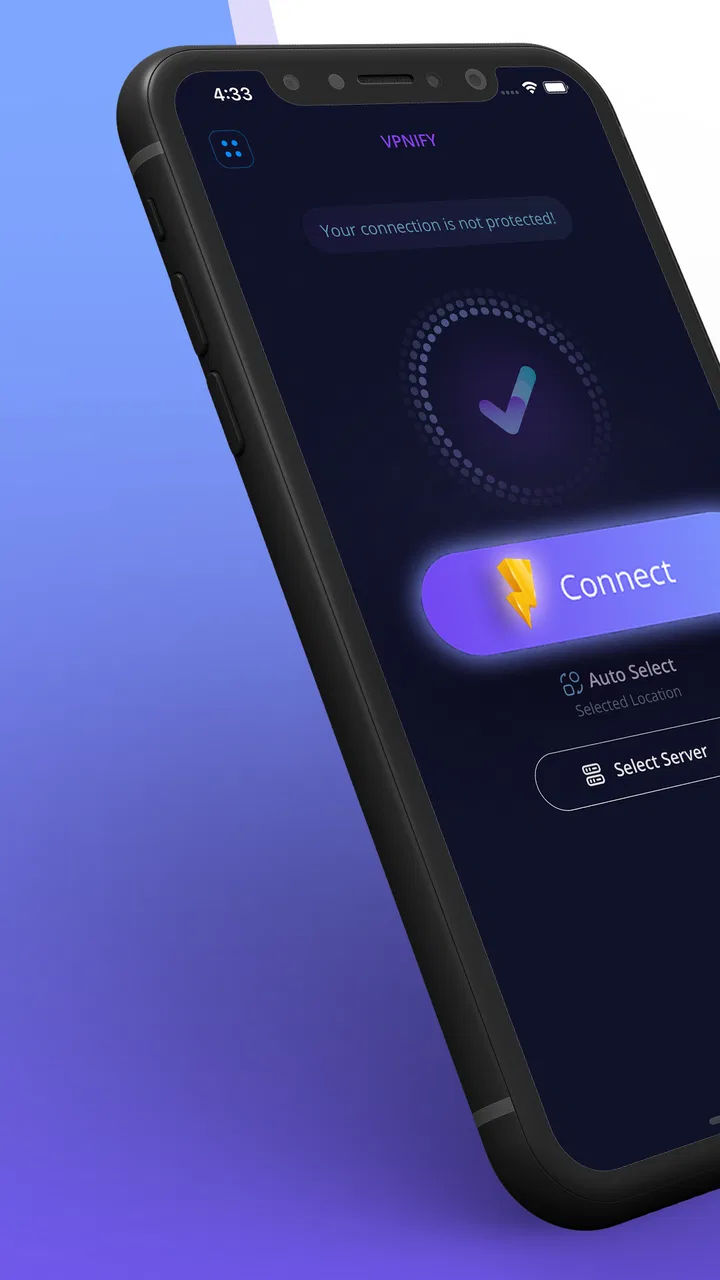
When I need a quick connection on a public network, I usually want the fewest possible decisions between opening the app and getting online. That is the situation where vpnify - Unlimited VPN Proxy makes the most sense. It is a free tools app from VPNIFY for Android, built around a simple VPN workflow rather than a crowded collection of settings. I can open it, start the connection, and return to what I was doing without creating an account first.
That simplicity is its strongest first impression, but it also sets the right expectations. I see this as a convenient everyday privacy tool, not as a complete replacement for every specialist VPN service. It can be useful when I am using café Wi-Fi, hotel internet, an airport connection, or another network I do not fully trust. At the same time, anyone choosing a VPN for advanced control, carefully documented privacy policies, or a large set of specialist options should examine the trade-offs before relying on it.
From an untrusted connection to a usable VPN session
Before I rely on a VPN on shared household Wi-Fi, I first separate the network problem from the device and account problem: each person should use their own logins, and nobody should treat a VPN session as a substitute for signing out. In the next section, I look at the practical boundary that matters most with vpnify: who starts the connection, and how to tell when it is ready before opening a sensitive app.
You May Also Like

 Blood Strike: 2.5 Anniversary
Blood Strike’s Loadouts Turn Every Drop Into a Tactical Gamble
A close look at Blood Strike’s custom loadouts: how fast access to signature weapons reshapes its battle royale rhythm, rewards preparation, and narrows the gap between fights.

 Pandora - Music & Podcasts
Pandora’s Music Is Easy to Start, but Harder to Recover
Pandora’s strength is its low-effort path from a seed to a station. Its weak spot is how much confidence it asks you to place in connection, setup, and quiet recovery.

 8 Ball Pool
 Is Built on Rivalries, Rematches, and Routine
A close look at the rivalries, rematches, shared routines, and unanswered safety questions that turn a quick pool match into a persistent mobile community.

 Samsung Music
’s Quiet Strength Is Playing What You Already Own
Its reach comes less from spectacle than from dependable access to a personal library. That simplicity is both the app’s strongest retention engine and its ceiling.

 AccuWeather: Weather Radar
AccuWeather Review: A Quick, Clear Forecast for Everyday Decisions
For everyday plans, the best forecast is the one you can understand quickly. AccuWeather makes rain timing, radar, and local conditions easy to act on, with a few trade-offs.

 Hill Climb Racing
Why Hill Climb Racing Still Turns Crashes Into One More Run
A tiny car, a bumpy hill and one more upgrade: Hill Climb Racing keeps resurfacing because its simple chaos makes every near-miss feel personal.
More From Our News Desk



The starting condition matters more than the advertising
My typical starting point is familiar: I am away from home, my phone has joined a public wireless network, and I want an extra layer between that connection and my normal browsing. In that moment, the main problem is not learning networking terminology. It is making a sensible connection quickly while avoiding unnecessary account setup.
vpnify addresses that starting condition with a no-sign-up approach and a one-click connection design. That is a meaningful advantage for occasional users. I do not have to begin by choosing a subscription plan or filling in a profile just to test whether the app fits my routine. The free price also makes it approachable for someone who only needs a VPN from time to time rather than throughout the day.
Still, I would not treat the presence of a VPN button as a guarantee that every online activity becomes private or anonymous. A VPN can protect the path between the device and the VPN service, but it does not make careless logins, weak passwords, suspicious websites, or unsafe downloads harmless. I use the app as one part of a safer connection routine, not as permission to ignore the rest of my security habits.
Opening the app and beginning the connection
The first useful handoff is from the phone’s network connection to the VPN app. With vpnify, the experience is aimed at reducing that handoff to a straightforward tap. This is especially helpful when I am standing in line, moving between networks, or trying to connect before opening an email account or a work dashboard.
For a first-time user, the important question is not “Which advanced protocol should I configure?” but “Can I understand whether the VPN is active?” A simple interface helps here because it keeps the primary action visible. I would still pause after tapping connect and check the device’s VPN indicator before entering sensitive information. That small confirmation step prevents a common mistake: assuming protection has started when the connection is still being established.
The app’s current version is 2.2.9, and it supports Android devices running version 6.0 or later. That gives it a broad compatibility range for people using older Android phones, although compatibility alone does not tell me how smoothly every individual device will behave. Battery condition, background restrictions, the phone manufacturer’s software, and the quality of the local network can all affect the practical experience.
What I do before using it for sensitive tasks
I prefer to connect before opening the service I actually need. For example, if I am checking a bank account from hotel Wi-Fi, I first join the hotel network, launch the VPN, wait for the connection indicator, and only then open the banking app. Afterward, I disconnect when I no longer need the VPN, especially if I am returning to a trusted home connection.
This order creates a useful handoff between the network and the application I want to use. It also makes troubleshooting easier. If a website fails to load, I know whether the problem appeared before or after the VPN connection. That is more practical than switching settings randomly while an important task is already in progress.
I also recommend testing ordinary browsing before depending on the app for something time-sensitive. Open a familiar website, check whether pages load normally, and try the app again later if the first connection is unstable. A VPN can be technically connected while still feeling inconvenient because of slower loading, a site asking for extra verification, or a service reacting differently to the apparent connection location.
The everyday workflow: café, hotel, and travel use
Consider a realistic café scenario. I arrive, connect my phone to the café’s Wi-Fi, and need to send a document through a web service. Instead of immediately signing in, I open vpnify and start the connection. Once the phone shows that the VPN is active, I open the browser, send the document, and close the session when I finish.
The value here is not that the app transforms the café into a perfectly secure environment. The value is that it gives me a repeatable sequence I can remember: join the network, connect the VPN, verify the connection, complete the task, then disconnect. The less complicated the sequence feels, the more likely I am to use it consistently.
On hotel Wi-Fi, the handoff can be less smooth because hotels often use sign-in pages. I may need to complete the hotel’s access screen before starting the VPN, since the VPN connection can interfere with the network’s initial authorization page. This is one of the practical friction points that a short store summary does not reveal. If the internet is not yet fully authorized, I first finish that step, then activate the VPN and retry the task.
Travel creates another complication. Some services may react to a VPN connection by requesting an additional login check or verification step. That does not automatically mean the app is failing. It can simply mean the service sees a connection that differs from my usual one. I keep access to my normal verification method available rather than assuming every account will behave exactly as it does at home.
Handoffs between apps and services
A VPN is rarely used alone. The connection passes from the operating system to vpnify, then from the VPN session to a browser, messaging app, streaming service, or work tool. Each handoff can introduce a different kind of friction. A browser may load normally while a separate app refuses a connection. A work service may allow access but ask me to sign in again. A website may display different content or challenge the session.
My practical approach is to test the specific app I need, not just the browser. If I am preparing for a video call, I connect the VPN first and then make a short test call or check the service before the meeting begins. For a large upload, I use the VPN only if the connection remains stable enough for the transfer. The extra privacy layer is not useful if it causes a failed handoff at the exact moment I need reliability.
This is also where a no-sign-up design is convenient. I can try the connection without committing to an account workflow, then decide whether it is suitable for that particular task. The trade-off is that users who want a highly personalized setup may find the experience too streamlined. A simple connection flow is excellent for reducing decisions, but it leaves less room for people who expect extensive manual tuning.
Speed, convenience, and the free model
vpnify presents itself as a fast, high-speed proxy-style VPN experience, and fast connection startup is certainly the goal of its design. In my view, the more useful question is whether the connection is fast enough for the task at hand. Reading articles, checking messages, and using ordinary websites are less demanding than video calls, large downloads, cloud backups, or high-resolution streaming.
Even a well-designed VPN adds another stage between the phone and the destination service. The result depends on the local Wi-Fi, mobile signal, distance to the selected server, congestion, and the service being accessed. I would not judge the app from one slow session alone, but I would also avoid assuming that “high speed” means identical performance to a direct connection in every location.
The app is free to install and use, while in-app purchases range from around three dollars to around thirty dollars per item. That makes it easy to start without an upfront payment, but it also means I would read each purchase screen carefully before confirming anything. A free entry point is useful for testing, yet anyone planning regular use should understand which parts of the experience may involve payment and whether the available option matches their needs.
Compared with a traditional paid VPN service, vpnify’s appeal is its low barrier to entry and quick start. Compared with a browser-only proxy, its value is that I can think about protection at the device connection level rather than only inside one browser session. Neither comparison makes it automatically superior. A paid alternative may be a better fit for someone who needs a broad server choice, consistent performance, detailed controls, or a long-term service relationship.
Three practical habits that improve the experience
My first tip is to make connection verification part of the routine. I do not tap the button and immediately assume success. I wait for the phone’s VPN indicator, then open a low-risk webpage before moving to a sensitive task. This takes only a moment and catches connection failures before they become confusing account or payment problems.
My second tip is to separate network authorization from VPN activation. On captive networks such as hotels, cafés, and some public venues, I complete the network’s own sign-in page first. Only after ordinary internet access works do I start vpnify. This avoids a frustrating loop where the VPN is active but the network still wants a browser confirmation.
My third tip is to use the app selectively when reliability matters more than privacy convenience. If I am downloading a large file on a trusted connection and the VPN introduces instability, I may finish that task directly and reserve the VPN for the public-network activity that motivated me to use it. That is not a criticism of this particular app; it is a sensible trade-off with VPNs generally.
A fourth useful habit is to test account-heavy services before travel. Some platforms treat a changed connection as unusual and may request extra verification. I prefer discovering that while I still have access to my usual email or authentication method, rather than at an airport with limited time and a weak signal.
Who should use it, and who should look elsewhere?
I think vpnify is a good match for people who want a straightforward Android VPN without signing up before trying it. It suits occasional travelers, students using shared networks, café workers, and anyone who wants a quick connection tool rather than a networking project. The Everyone content rating also makes it broadly approachable from an age-classification perspective.
Its popularity is substantial: the app has passed fifty million installs, holds an average rating of 4.4 from around two million ratings, and has about seventeen thousand written reviews. Those figures suggest that many people find the basic concept useful, but they do not replace my own evaluation of whether the connection works well for a particular location, phone, and service.
I would look elsewhere if I needed a VPN for demanding professional workflows where predictable performance and advanced configuration are central requirements. I would also compare specialist services carefully if my decision depends on detailed privacy documentation, a particular regional connection, or features designed for power users. The right alternative is not necessarily another free app; sometimes paying for a service is worthwhile when reliability and control matter more than convenience.
Where the workflow breaks down
The first possible break is connection failure. Public networks can be unreliable before a VPN is involved, and a VPN may make the problem harder to diagnose because there is now another stage in the route. My response is to disconnect, confirm that the underlying network works, and try again rather than repeatedly tapping the same control.
The second break is service compatibility. A website or app may slow down, refuse the connection, or ask for verification. For ordinary browsing, I can decide whether the privacy benefit is worth the inconvenience. For a work call, payment deadline, or large transfer, I may choose a more stable connection or a different VPN service instead.
The third break is expectation. A one-click interface can make VPN protection feel automatic, but safe internet use still requires judgment. I remain careful with passwords, suspicious links, downloads, and account recovery details. The app can simplify the connection step; it cannot make every destination trustworthy.
The fourth break is the free-service trade-off. I appreciate being able to try vpnify without an account, but I would not choose any free VPN blindly for highly sensitive work. I would review the app’s current terms and permissions on my own device, understand the purchase prompts, and decide whether its convenience matches the level of trust required by the task.
My final take after following the full flow
From starting on an unfamiliar network to completing a normal online task, vpnify keeps the central workflow easy to remember: connect to the network, activate the VPN, verify it, use the required app, and disconnect when finished. That is a real strength for people who want practical protection without a complicated setup.
VPNIFY has made a tool that feels approachable, and the free model makes experimentation simple. I especially like the no-sign-up starting point because it lets me judge the experience in the situations where I actually need it. The Android 6.0 minimum also leaves room for use on older devices, although individual performance will still depend on the phone and network.
My recommendation is conditional but positive: use it as a convenient everyday VPN option for public-network browsing and short sessions, while verifying the connection and staying realistic about speed, compatibility, and privacy expectations. If you need deep control or dependable performance for demanding work, compare it with a more specialized paid alternative. For the reader who mainly wants a quick, free tool that gets from an exposed connection to a usable VPN session with minimal friction, this app is worth trying.
FAQs for vpnify - Unlimited VPN Proxy
01What platforms is vpnify available on?
Vpnify is available for both Android and iOS platforms. Users can download the app from the Google Play Store for Android devices or the Apple App Store for iOS devices. Ensure your device meets the minimum system requirements to ensure optimal performance and a seamless experience.
02Is vpnify truly free to use?
Yes, vpnify offers a free version that provides essential VPN services. However, for enhanced features like faster connection speeds, access to more server locations, and an ad-free experience, users can opt for the premium subscription. The app provides flexible plans for those who need more advanced features.
03How secure is vpnify in protecting my data?
Vpnify uses advanced encryption protocols to ensure your data remains private and secure. It masks your IP address, encrypts your internet traffic, and protects you from potential cybersecurity threats. This makes it a reliable choice for users seeking to maintain anonymity and security while browsing the web.
04Does vpnify affect internet speed?
While using a VPN can sometimes result in slower internet speeds due to encryption processes, vpnify is designed to minimize this impact. The premium version offers faster connection speeds by providing access to high-speed servers, ensuring a smooth browsing experience with minimal lag or buffering.
05Can vpnify be used for streaming and accessing geo-restricted content?
Yes, vpnify allows users to bypass geo-restrictions, making it possible to access content that may not be available in their region. This includes streaming services and websites. However, the ability to access specific streaming platforms may vary, and users should check the app's capabilities regarding their desired services.
Pros
- Fast connection speeds for streaming.
- User-friendly interface with easy navigation.
- No registration required for use.
- Unlimited bandwidth without throttling.
- Supports multiple platforms and devices.
Cons
- Limited server locations available.
- Occasional connection drops reported.
- Ads can be intrusive during use.
- No advanced security features included.
- Customer support could be improved.

vpnify - Unlimited VPN Proxy
Gallery